Take snapshots directly from your favorite movie
DVD Snapshot is an application that allows you to create wallpapers of your favorite films or maybe create a personal photographic collection of your beloved actors.
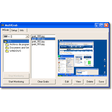
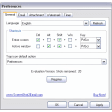
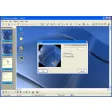
Just insert the title you would like to take a screenshot of, then when the film is at the right point, press the “Snapshot” button and that’s it.
You can also select the zoom level to capture a selection of your original video. Theoretically you could also load different video format, such as MPEG, AVI and WMV, unfortunately this option is not available in the trial version.
Another major limitation is that protected DVDs might not run. The only solution I can think of is to create an unprotected copy of the title you need to take the screenshots first.
You can do so by using programs like DVDFab Gold, but clearly it’s not worth it if all you wanted was just one screenshot of your favorite film.
An online image research would probably be much quicker!
DVD Snapshot could be a useful application but the limitation it has on protected DVDs might make it impossible to capture a scene of your favorite actor or preferred film.
























User reviews about DVD Snapshot
by Anonymous
Simple but impressive.
I've have had dvd fab for nearly 3 yrs, Great interface, & very easy to use. Constent updates to be able to backup most recent dvd/blu ray release. If you run into ANY problems with program there tutorial is great help. More