Icon of program: DVD Snapshot

DVD Snapshot for Windows

  • Trial version
  • 4.1
    9
  • 4.4K
  • V1.19.5.7

Take snapshots directly from your favorite movie

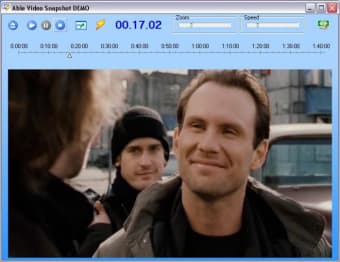
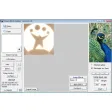
DVD Snapshot is an application that allows you to create wallpapers of your favorite films or maybe create a personal photographic collection of your beloved actors.

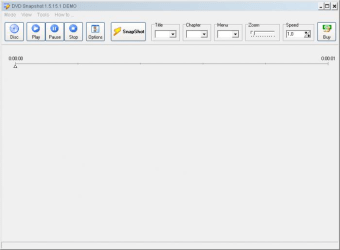
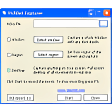
Just insert the title you would like to take a screenshot of, then when the film is at the right point, press the “Snapshot” button and that’s it.

You can also select the zoom level to capture a selection of your original video. Theoretically you could also load different video format, such as MPEG, AVI and WMV, unfortunately this option is not available in the trial version.

Another major limitation is that protected DVDs might not run. The only solution I can think of is to create an unprotected copy of the title you need to take the screenshots first.

You can do so by using programs like DVDFab Gold, but clearly it’s not worth it if all you wanted was just one screenshot of your favorite film.

An online image research would probably be much quicker!

DVD Snapshot could be a useful application but the limitation it has on protected DVDs might make it impossible to capture a scene of your favorite actor or preferred film.


  • Pros

    • Take a shot of your favourite film with one click
  • Cons

    • It doesn’t work with protected DVD
 0/2

App specs

Program available in other languages


Icon of program: DVD Snapshot

DVD Snapshot for PC

  • Trial version
  • 4.1
    9
  • 4.4K
  • V1.19.5.7

User reviews about DVD Snapshot

4.1

1 reviews

Add review

Main reviews for you

  • Anonymous user

    Simple but impressive. I've have had dvd fab for nearly 3 yrs, Great interface, & very easy to use. Constent updates to be able to backup most recent dvd/blu ray release. If you run into ANY problems with program there tutorial is great help.

More

You may also like

Alternatives to DVD Snapshot

Explore Apps

Latest articles

Laws concerning the use of this software vary from country to country. We do not encourage or condone the use of this program if it is in violation of these laws.
Softonic

Is DVD Snapshot safe?

100/100

Score result: Clean

This file passed a comprehensive security scan using VirusTotal technology. It is safe to download.

  • Virus free
  • Spyware free
  • Malware free
  • Verified by Security Partners

    VirusTotal logo

Scan Info

Last scan
Friday, January 14, 2022
Scan provider
VirusTotal · Full report

File Integrity

File
dvdsnapshot_setup.exe
SHA256
cdb9360da2487083fdf52d93bbc9adb337765e7f0beda84a50402bf876381b5e
SHA1
9beaaeba68a9495b63c1d6bfa3672caecc404d23

Softonic security commitment

DVD Snapshot has been thoroughly scanned by our advanced security systems and verified by industry-leading partners. This file comes from the official developer and has passed all our security checks, showing no signs of viruses, malware, or spyware. For more information, visit our Security and Trust Center